The memory of web browsing being quick and easy lives with us all.
Fewer pop-ups, less clutter, and finding what you need ASAP.
Frequently asked questions
What is Nook?
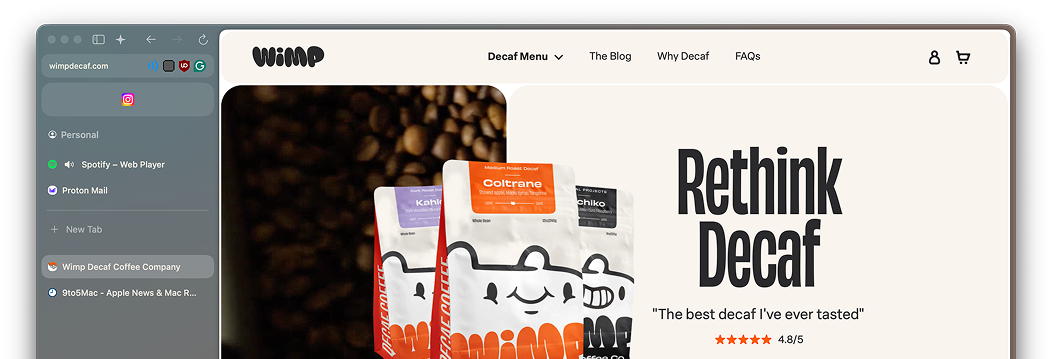
Nook is a fast, modern WebKit browser for macOS focused on
minimalism, privacy, and calm design.
Is it free and open‑source?
Yes. Nook is open‑source and free to use. You can explore and
support the project on GitHub and Open Collective.
Do you sell my browsing data?
No. We do not sell your browsing data. Our pledge is privacy first,
with settings that are understandable and reversible.
Does Nook support Chrome extensions?
Yes. Nook supports Chrome extensions so you can keep your workflow
familiar.
Is AI required to use Nook?
No. AI features are strictly opt‑in. The browser is fast and fully
usable without them.
Where can I download Nook?
Fast by design
Minimal overhead. Less clutter. Pages feel instant, powered by
WebKit.
Optional, Opt-In AI
When enabled, they provide helpful tools such as chat assistance,
summaries, up-to-date web insights, and more.
Open-source forever
Transparent code, permissive license, and a community-driven
roadmap.
Our pledge
- No selling of browsing data. Ever.
- Features ship when they’re stable and accessible.
- We keep settings understandable and reversible.
Frequently asked questions
What is Nook Browser?
Nook is a fast, modern WebKit browser for macOS focused on minimalism, privacy, and calm design.
Is it free and open‑source?
Yes. Nook Browser is open‑source and free to use. You can explore and support the project on GitHub and Open Collective.
Do you sell my browsing data?
No. We do not sell your browsing data. Our pledge is privacy first, with settings that are understandable and reversible.
Does Nook Browser support Chrome extensions?
Yes. Nook Browser supports Chrome extensions (still in alpha) so you can keep your workflow familiar.
Is AI required to use Nook Browser?
No. AI features are strictly opt‑in. The browser is fast and fully usable without them.
Where can I download Nook Browser?
You can download Nook Browser from our website or the GitHub Releases page. It’s a simple DMG file that you can drag and drop to your Applications folder.